
Fast iPad Repair in Garden City, ID
What We Fix
🖥️ Screen Replacement
🔋 Battery Issues
🔌 Charging Port
📷 Camera Repairs
💧 Water Damage
🔊 Speaker/Mic Issues
🔐 Face ID/Touch ID
⚙️ Software Glitches
📶 Network Issues
Even though Apple’s newest iPads are incredibly advanced, many users face problems in daily use. Therefore we are here to restore your device functionality so it works like it should. Our dedicated team offers high end solutions to all problems you are facing with your iPad. iFixitpro is the reliable choice for professional iPad repair in Garden City, ID.
If you have the latest iPad models (M-series iPad Pro, iPad Air 5th/6th gen, iPad Mini 6/7) or the older ones, that’s not a big deal for us. We have all the parts and tools to perform repairs on the same day. So instead of getting confused by seeing a list of iPad repair stores on the search bar give us a chance. We ensure you get your iPad fixed efficiently without compromising on quality.
Best iPad & Tablet Repair Store Near Me
iFixitpro is one of the best iPad repair stores in town. We just don’t claim we prove it by providing the lasting result that customers are looking for. Our certified and dedicated team is experienced, they know what they are doing. So you will be assured that there is no guesswork, and everything is properly planned. That is why, before starting any repair, we first listen to your concern, then do a thorough diagnosis to find the root cause. After this, we do the exact repair work that is needed and if there is a need for replacement we discuss with you in advance. This transparent process saves you from any surprises and you will be ensured of what you are paying for.
Moreover for the customers’ satisfaction we also offer a warranty on our repairs.
In all our repairs, we use only tested and A-grade components so your device does not face the same issue again. Whether it’s a screen issue, malfunctioning speaker battery drain or any other issue, visit us and get the reliable iPad repair services in Garden City, ID.
Our Same day iPad Repair Services
Pad Screen Repair
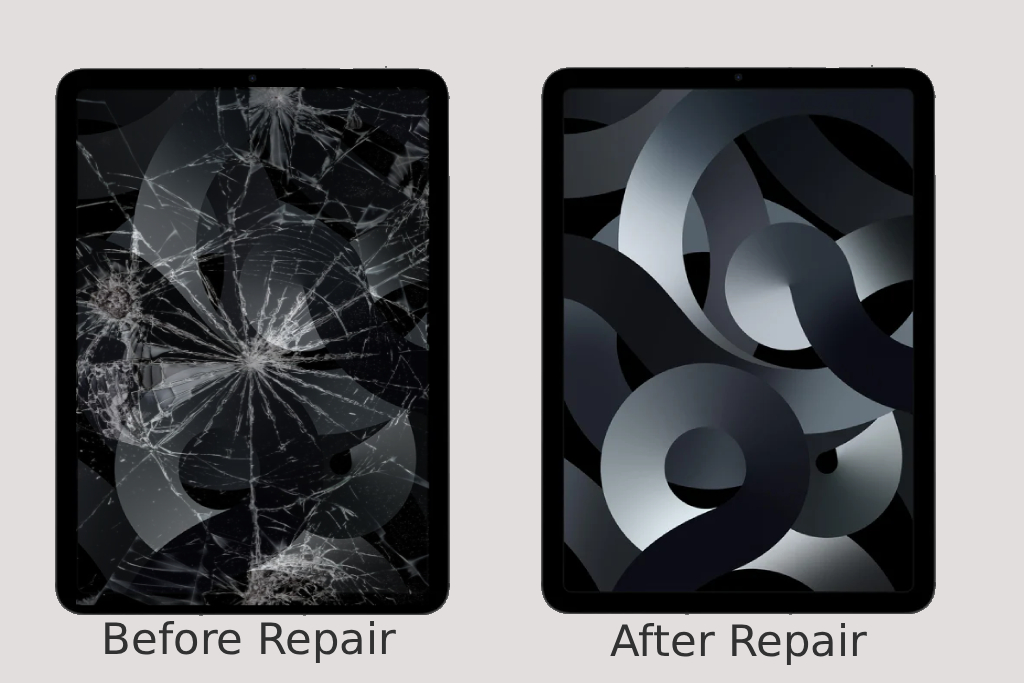
Dealing with a cracked or unresponsive iPad screen is a frustration. Therefore we provide quality iPad screen repair. Our team uses top-quality parts to swap out damaged screens. When they’re done, they do quick testing to ensure your iPad looks and works like it just came out of the box.
iPad Water Damage Repair
Spilled coffee? Dropped your iPad in the sink? It happens. But instead of getting worried, act fast, bring it to us. We offer quick and precise iPad water damage repair. Our technicians professionally clean the corrosion and remove the moisture. To get your device working again we also fix and replace damaged part.rest assured we do everything to fix it fast.
iPad Battery Repair
If your iPad dies too quickly or shuts off out of nowhere, it’s probably the battery. Our iPad battery repair experts quickly swap out old batteries for new, high-capacity ones that keep your iPad running longer and more reliably.
iPad Charge Port Repair
Nothing’s more annoying than an iPad that won’t charge. We understand this hassle that is why at our store we provide iPad charging port repairs that almost take 1-2 hours. First we’ll figure out what’s wrong with the port and fix it, so you can get back to using your device without any charging headaches.
Our On-Site iPad Repairs
Getting your device fixed shouldn’t be a hassle. Swing by our store if you’re nearby, or let us come to you—it’s really that easy. Just call us. We’ll listen, figure out what’s wrong, and set up a time that works for you. When we show up, we’ve got it all covered: tools and parts. Doesn’t matter if you’re at home, at work, or somewhere else. Call us and let us take care of everything.
FAQs
Yes. We first check for software-related causes like background apps or settings. If the battery is aging or swollen, we provide a safe replacement.
This usually means a port or connector issue. We inspect the port, clean debris, test multiple cables, and replace the connector if needed.
Slight warmth is normal under load, but excessive heat indicates software or hardware issues. We perform tests and check for battery or chip problems to ensure safety.
Sometimes. If the problem persists after a software reset, it usually requires display or connector repair.